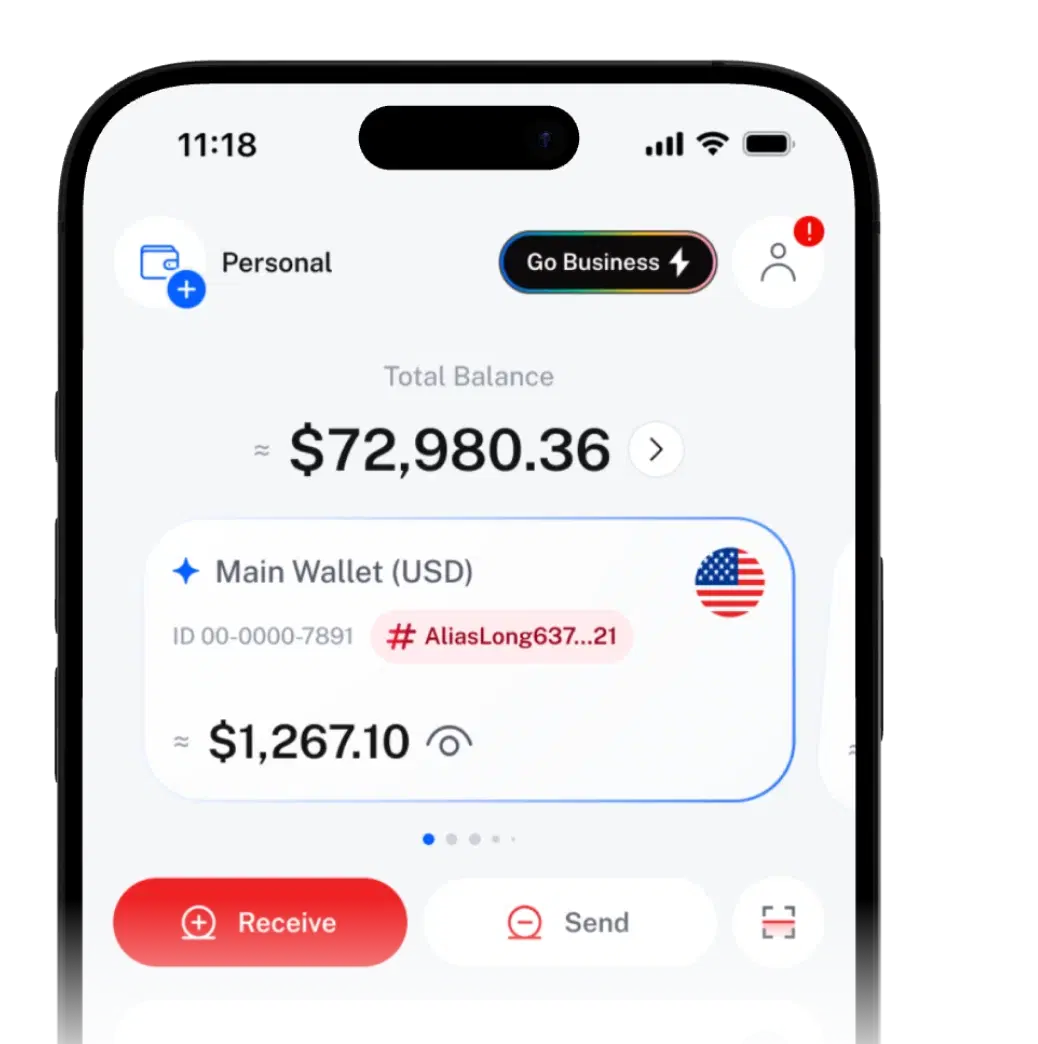
Send & Receive SEND & RECEIVE CRYPTO, THE SIMPLE WAY.

Send crypto to SIQO users by Wallet ID or QR code, with no SIQO fee. Deposit and withdraw on supported networks.
Send
- SIQO User TransferNo SIQO fee
- Internal Transfer
- Withdraw
- Self Claim Link
Confirm transfer
10 digits,
not 40 characters.
Send to a Wallet ID or scan a QR code instead.
The usual way
- Long addresses that are easy to get wrong
- Fees that are hard to compare
- Different steps for every destination
With SIQO
- Wallet ID or QR code for SIQO users
- No SIQO fee between SIQO users
- Check their Wallet Tag before you send
Share, send,
track.
- 01
Share your QR or Wallet ID
Get paid by QR, Wallet ID or deposit address.
- 02
Pick someone and send
Pick a Favourite, enter a Wallet ID or scan a QR.
- 03
Track and share
Every transfer is in your history, with a receipt you can share.
Get paid
your way
Choose where the money is coming from.
QR codeFrom a SIQO user
Show your QR code and the sender scans it to pay you.
Wallet IDFrom a SIQO user
Share your 10-digit Wallet ID. Your Wallet Tag confirms it's you.
Deposit addressFrom an external wallet
Copy the address for the right network into any exchange or wallet.
Send only the supported asset on the selected network, or funds may be lost. Timing depends on the network.
Alex Tan
Show this QR to a SIQO user to receive
One Send button.
Every destination.
Pick the option that fits.
No SIQO fee SIQO User TransferSend crypto to another SIQO user. | Internal TransferMove assets between your own wallets. | WithdrawSend crypto to an external wallet address. | Self Claim LinkSend with a link and a passphrase, even to people without SIQO. | |
|---|---|---|---|---|
| Goes to | Another SIQO user | Your own wallets (Personal and Joint Approval Wallets you co-own) | A compatible external wallet address | Anyone, via a link |
| Speed | Processed within SIQO | Processed within SIQO | Depends on the network | When they claim. Soft Lock or the network can add time |
| Fee | No SIQO fee | No SIQO fee | Network fee, shown before you confirm | Network fee, refunded to you if they claim to a SIQO wallet |
| Recipient needs | A SIQO account | — (it's you) | A wallet on the network you pick | A wallet address or Wallet ID, plus the passphrase. No app needed |
| You need | Their Wallet ID, QR or a Favourite | Nothing | Their address and network | A way to message them |
| How claim links work |
- No SIQO fee
SIQO User Transfer
Send crypto to another SIQO user.
- Goes to
- Another SIQO user
- Speed
- Processed within SIQO
- Fee
- No SIQO fee
- Recipient needs
- A SIQO account
- You need
- Their Wallet ID, QR or a Favourite
Internal Transfer
Move assets between your own wallets.
- Goes to
- Your own wallets (Personal and Joint Approval Wallets you co-own)
- Speed
- Processed within SIQO
- Fee
- No SIQO fee
- Recipient needs
- — (it's you)
- You need
- Nothing
Withdraw
Send crypto to an external wallet address.
- Goes to
- A compatible external wallet address
- Speed
- Depends on the network
- Fee
- Network fee, shown before you confirm
- Recipient needs
- A wallet on the network you pick
- You need
- Their address and network
Self Claim Link
Send with a link and a passphrase, even to people without SIQO.
- Goes to
- Anyone, via a link
- Speed
- When they claim. Soft Lock or the network can add time
- Fee
- Network fee, refunded to you if they claim to a SIQO wallet
- Recipient needs
- A wallet address or Wallet ID, plus the passphrase. No app needed
- You need
- A way to message them
Small details.
Big difference.
Send as anonymous
Hide your Wallet ID and Wallet Tag from SIQO recipients. You still see full details.
Favourites
Save frequent recipients with nicknames and send from the list.
Shareable receipts
Share an image or PDF of any transaction as proof of payment.
Smart history filters
Filter by wallet, type, status and date.
Send from any of your wallets
Send from a Personal Wallet, Shared to Me or a Joint Approval Wallet once co-owners approve.
Whoever you pay,
wherever they are
What you pay,
and what you don't.
You'll always see the fee before you confirm.
| Action | Fee |
|---|---|
| Receive, SIQO User Transfer and Internal Transfer | No SIQO fee |
| Deposit from an external wallet | No SIQO fee (the network may charge) |
| Withdraw to an external wallet | Network fee, shown before you confirm |
| Self Claim Link | Network fee, refunded to you if they claim to a SIQO wallet |
Review every transfer before it moves.
- Confirm every transfer with your passkey, or your PIN if you haven't set one up. 2FA adds an extra step
- Check the recipient, asset, network, amount and fee before confirmation
 SIQO is operated by Byte Digital AG, Switzerland.
Send & Receive
questions
Can't find what you're looking for?
Our support team can help.
No. A SIQO User Transfer to another SIQO user, by Wallet ID, QR code or from your Favourites, carries no SIQO fee.
A SIQO User Transfer goes to another SIQO user inside SIQO, with no SIQO fee. A withdrawal sends crypto to an external blockchain address, such as an exchange or another wallet app. It pays a network fee, shown before you confirm, and takes as long as the network needs to confirm it.
Tap Receive, choose From External, pick the asset and network, and copy your deposit address. Send only that asset on that network. Your balance updates once the blockchain confirms the transfer.
Yes. Tick "Send as anonymous" on the confirmation screen, and the recipient won't see your Wallet ID or Wallet Tag. This works for transfers to other SIQO users. You'll still see the full details in your own history.
Yes. Open any transaction and tap Share Receipt. SIQO saves an image and lets you share a PDF through any app on your phone.
Withdraw to their external wallet address, or send a Self Claim Link. They open the link, enter the passphrase you share, and claim to their wallet address, or to their Wallet ID if they use SIQO, with no app needed.
Wallet features work wherever SIQO does. Local-currency buying and selling is live in Malaysia (MYR) and Vietnam (VND), and QR Pay works in 12 countries for every SIQO user, wherever you registered.

 Download the app
Get SIQO
Your first transfer is 10 digits away.
Download SIQO and make your first transfer by Wallet ID or QR code.