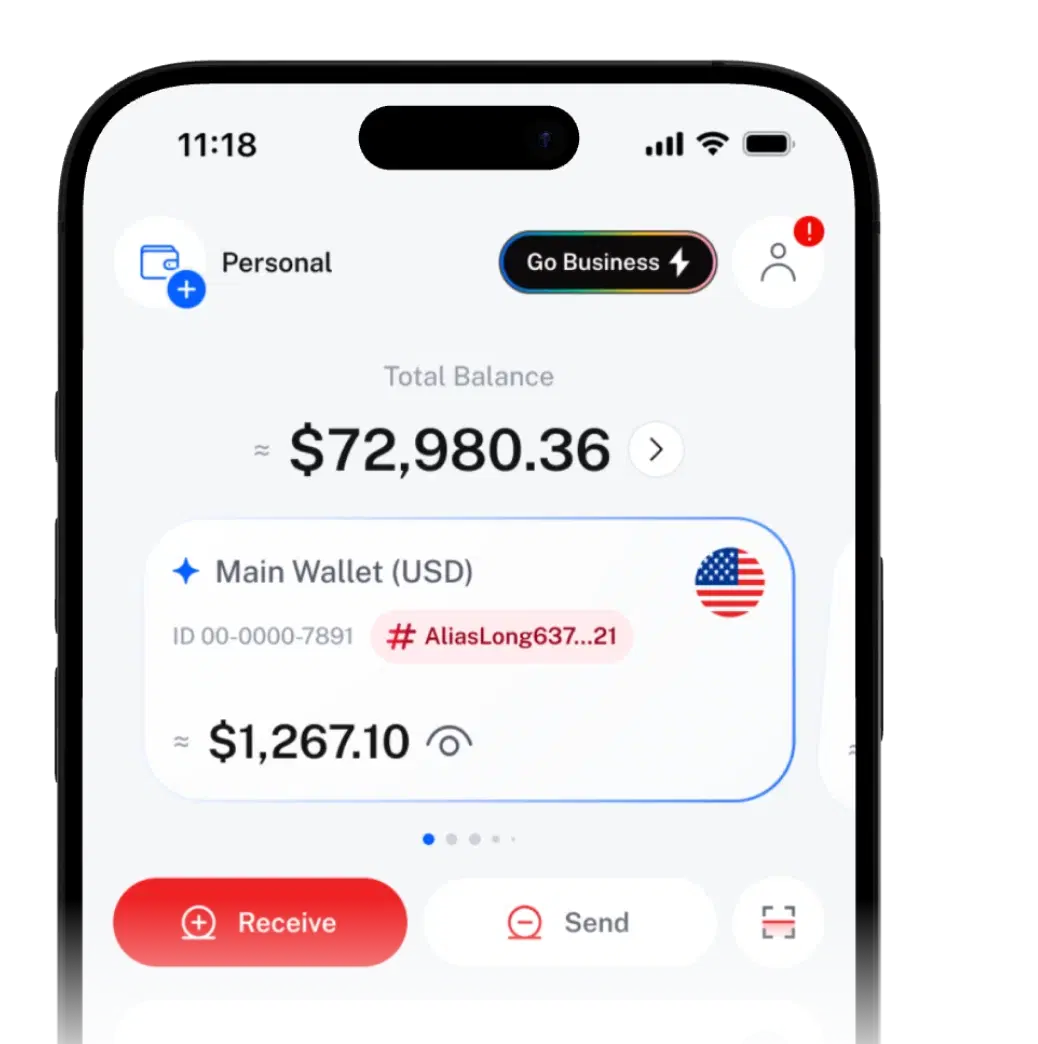
Personal Wallets A WALLET FOR EVERY PART OF LIFE.

Give bills, savings and everyday spending their own wallet and Wallet ID, and move crypto between them with no SIQO fee.
Wallets hold crypto. Values show in USD.
All wallets
Total value
≈ $6,399.55
- FamilyPrimary#family_bills12-4816-0357≈ $1,267.10
- Work#work_income12-7302-5518≈ $4,820.00
- Personal#everyday12-0925-6634≈ $312.45
One balance makes every budget
harder to see.
When rent, family money and side income share one balance, it's hard to see what's spare.
One wallet for everything
- Bills, savings and spending money blur into one number.
- Easy to overspend rent or school-fee money.
- Everyone you share details with sees the same wallet.
Separate SIQO wallets
- One job per wallet, named for it, like “Rent”.
- Each wallet shows its own balance, and your total is one tap away.
- Every wallet has its own Wallet ID and Wallet Tag.
Set up a new wallet
in a few taps.
Create as many as your plan allows.
- 01
Name and tag it
Call it “Family” or “Rent” and add a #tag. SIQO gives it a 10-digit Wallet ID.
- 02
Fund it
Deposit crypto, buy with local currency where available, or move funds from your other wallets.
- 03
Organise it
Group wallets into categories and pick your Primary Wallet.
Built to keep your money
organised.
Your Primary Wallet
Your default wallet for incoming payments. Switch the role to any Personal Wallet whenever you like.
Categories and archive
Group wallets into categories. Archive the ones you don't use; unarchive in one tap.
Values in USD
Each balance shows its approximate USD value at live rates.
Hold the coins you actually use
Assets include
- USDT
- USDC
- BTC
- ETH
- BNB
Networks include
- Bitcoin
- Ethereum
- BNB Smart Chain
- Polygon
- Tron
The deposit screen shows the full list. Send only supported coins on supported networks, or you may lose funds.
Four IDs.
Zero guesswork.
Each ID has one job, so money lands where it should.
Pin up to 5 wallets to your home screen, in the order you want.
What do you want to do?
Usernameyou
Use it for: Finding people: adding contacts, co-owners and Shared Wallet users.
Your unique SIQO name, set at sign-up.
@annaleeNot for transfersWallet IDthe wallet
Use it for: Getting paid inside SIQO.
A 10-digit number SIQO gives each wallet.
12-4816-0357Wallet Tagits label
Use it for: Checking you've got the right wallet.
A unique label you choose for each wallet.
#family_bills2–20 charactersa–z, 0–9 and _ onlyUnique across SIQOCan't be changed once setDeposit addressfrom outside SIQO
Use it for: Receiving from an exchange or an external wallet.
Find it in Deposit: pick the wallet, coin and network.
TQ4m…8vXe
Who uses
more than one wallet?
Most moves
cost nothing.
| Item | Free | Business |
|---|---|---|
| Personal Wallets | Included | More on Business |
| Moving money between your own wallets | No SIQO fee | No SIQO fee |
| Sending to other SIQO users | No SIQO fee | No SIQO fee |
| Withdrawing to an external wallet | Network fee, shown before you confirm | Network fee, shown before you confirm |
Your plan's allowance is shown in the app. Need more? Upgrade to Business or add Recharge.
Your wallets. Your controls.
- Confirm what leaves your wallets with your passkey, or your PIN if you haven't set one up
- Deleting a wallet needs your passkey or PIN.
- Archived wallets keep their funds and full history
 SIQO is operated by Byte Digital AG, Switzerland.
Wallet
questions
Can't find what you're looking for?
Our support team can help.
It depends on your plan. Business includes more than Free, and you can add more with a Recharge top-up. Your plan's allowance is shown in the app.
The Wallet ID is a 10-digit number SIQO gives each wallet; people use it to pay you. The Wallet Tag (#) is a unique label you choose, which helps senders check they're paying the right wallet.
No. Usernames are only for finding people, like adding a contact, a co-owner or a Shared Wallet user. To pay you, a SIQO user needs your Wallet ID or QR code, or you as a saved favourite.
No. A Wallet Tag can't be changed once set, which helps prevent impersonation and payment mix-ups. You can rename a wallet any time.
Your default wallet for incoming payments. It also receives the balance when you delete another wallet. Switch the role in wallet settings; move it before deleting your Primary Wallet.
Not at the moment. SIQO wallets hold crypto. In supported countries you can buy crypto with local currency and sell crypto to your bank account, and every balance also shows its approximate value in USD.
Yes. Archiving hides a wallet but keeps its funds and history. Deleting moves any balance to your Primary Wallet and removes Smart Jars that use it. A Joint Approval Wallet needs a zero balance and every co-owner's approval.
Yes. Convert it into a Joint Approval Wallet and the balance moves across. Only Personal Wallets can be converted, and it's permanent. You'll see a summary of anything that closes before you confirm.

 Download the app
Get SIQO
Give every pot of money its own wallet
Download SIQO and set up your first wallets in a few taps.